App Screenshots & Interface Preview
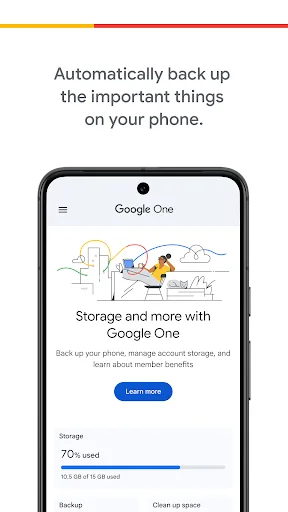
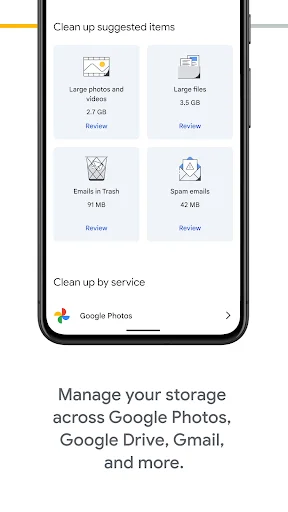
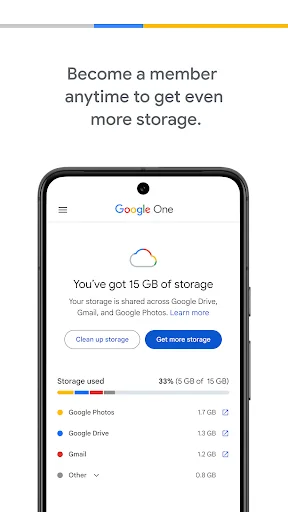
Explore Google One's actual user interface through these 5 authentic screenshots captured from the official app stores.
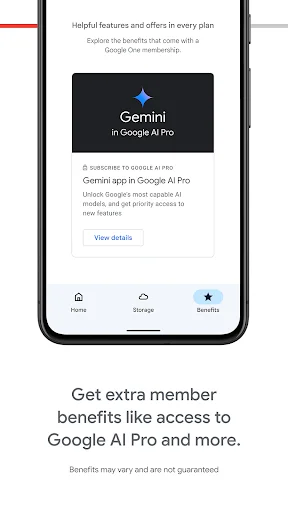
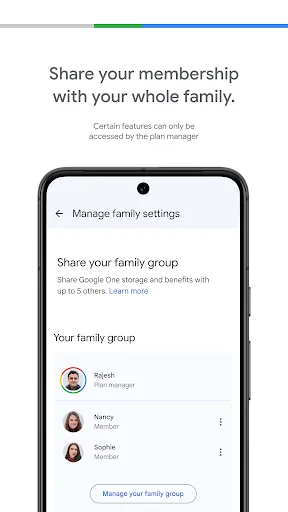
Pricing & Availability
FREE
Download Price
$0.89 - $249.99 per item
In-App Purchases
Android & iOS
Available Platforms
System Requirements
Updated
Dec 16, 2025
Downloads
1B+
Size
192MB
Developer
Google LLC
Version
1.291.842200972
Package Name
com.google.android.apps.subscriptions.red
Pros & Cons
Pros
- ✓ Automatic backups of photos, contacts, and messages
- ✓ Easy restoration of data to a new device
- ✓ Comprehensive management of Google storage across services
- ✓ User-friendly interface that simplifies navigation
- ✓ Flexible storage plans for users with varying needs
Cons
- ✗ Initial free storage may not be enough for heavy users
- ✗ Some advanced features require a paid membership
- ✗ Limited to Google ecosystem, less useful for non-Google users
Ratings
based on 4328 reviews
Description
The Google One app stands out as the best free cloud storage app for Android users, providing a seamless way to back up and manage your important files. This app ensures that your precious photos, contacts, and messages are automatically backed up using the 15 GB of storage offered with every Google account. Whether you’re upgrading your device or simply want peace of mind, you can effortlessly restore your data to your new phone. Additionally, Google One enhances your experience by allowing you to manage your existing storage across Google Drive, Gmail, and Google Photos, making it easier than ever to keep track of your digital life. For those looking for more capacity, upgrading to a Google One membership offers flexible plans to suit your storage needs, all while preserving your cherished memories and essential documents.
Editor's Review
As the go-to app for managing digital storage, Google One truly shines as the best free cloud storage app available today. From the moment you download it, you’re greeted with a user-friendly interface that simplifies the complex task of data management. The automatic backup feature is especially impressive, ensuring that your critical information—be it photos, contacts, or messages—is securely saved without any hassle. Transitioning between devices has never been easier; once you acquire a new Android phone, just restore your backup seamlessly to pick up right where you left off. Additionally, the app provides a comprehensive overview of your storage usage across various Google services, helping you stay organized. If you find yourself needing more space, the option to upgrade your storage plan is straightforward, catering to anyone from casual users to heavy digital content creators. Overall, Google One is an indispensable tool for anyone wanting to safeguard their digital assets effortlessly.
Review Methodology & Author
Emily Rodriguez
Senior App Reviewer
Mobile gaming specialist and tech journalist. Covers the latest trends in casual and hardcore mobile games.
Our Review Process
- 1Installation & Setup: We download and install each app from official app stores (Google Play / App Store) to ensure authenticity.
- 2Hands-on Testing: Our team tests core features, user interface, and overall performance across different devices.
- 3User Feedback Analysis: We aggregate and analyze user reviews from official stores to identify common strengths and pain points.
- 4Regular Updates: Reviews are updated periodically to reflect the latest app versions and user experiences.
Data Source & Transparency
Official Data Sources
- ✓Google Play Store
- ✓Apple App Store
- ✓Developer: Google LLC
Data Freshness
- ◉App Updated: Dec 16, 2025
- ◉First Released: May 24, 2018
- ◉Review Verified: Dec 23, 2025
Disclaimer: All app information, screenshots, and ratings are sourced directly from official app stores. We strive to keep our data accurate and up-to-date, but app details may change. Always verify current information on the official store pages before downloading.
Similar Apps
Amazon Shopping
Shopping
500M+

ESPN
Sports
100M+

Norton360 Antivirus & Security
Tools
50M+

TextNow: Call + Text Unlimited
Communication
100M+

Pandora - Music & Podcasts
android-wear
100M+

GameChanger
Sports
1M+

Snapchat
Communication
1B+

Angel: Watch Movies & TV Shows
Entertainment
10M+

Hily Dating app: Meet & Date
Dating
10M+

Sling: Live TV + Freestream
Entertainment
10M+

Viki: Asian Dramas & Movies
Entertainment
50M+

ChatGPT
Productivity
500M+